What it actually means at small business scale
For a business under about thirty people, marketing automation means one thing: the handful of jobs that currently depend on somebody remembering now happen on their own. It does not mean buying a platform with an implementation partner and a twelve-month roadmap.
The jobs are usually the same everywhere. A lead arrives and gets typed into a spreadsheet. Somebody meant to follow up on Thursday and did not. A customer finished a job three weeks ago and nobody asked for a review. Numbers from four different tools get copied into a report on the last Friday of the month.
None of that is complicated work. It is just work that competes with everything else, and loses. Automation wins because it never gets busy.
We have watched a team copy-paste enquiries between a form, a spreadsheet and their CRM by hand for two years. It worked, right up until it did not: leads got missed, follow-up was slow, and eventually nobody trusted the numbers enough to make a decision from them. Handing that one hand-off to an automation freed the team for the work only people should be doing, and the reporting finally lined up.
What to automate first, in order
Work down this list. Each one takes hours rather than weeks, and each earns its keep before you start the next.
- Lead capture into one place. Every enquiry, from every source (website form, Google Business Profile, Facebook, phone, email), landing in the same system automatically with its source recorded. Until this exists, everything downstream is guesswork.
- Instant acknowledgement. An automatic reply within a minute confirming you have the enquiry and saying when you will be in touch. Speed of first response is one of the few things that reliably moves conversion, and this costs nothing to run.
- Follow-up sequences. Two or three touches over a fortnight for anyone who has not replied. Most small businesses follow up once, and most sales happen after that.
- Review requests. Triggered automatically a set number of days after a job is marked complete. This is the highest-return automation for local service businesses, and it is almost always done manually or not at all.
- Reporting. One dashboard pulling ads, website, calls and enquiries into a single view, refreshed automatically. Not five tabs and an opinion, and not built on a GA4 setup nobody has checked.
- Quote and proposal follow-up. A quote sent and never chased is the most expensive thing in most service businesses.
Notice what is not on the list: chatbots, AI content generation, and complex lead scoring. Those come later, if at all. The wins are in the plumbing. Our guide to automating business processes covers the wider version, and most of it runs through your CRM.

The tool question, answered simply
Small businesses lose weeks comparing platforms. The honest answer is that the tool matters far less than the process, and you probably already own most of what you need.
- Your CRM does more than you think. Most CRMs include email sequences, task reminders and basic automation already. Turning on what you are paying for beats buying something new.
- Your email platform handles the sending. If you sell online, your email tool already does triggered sequences. We covered the e-commerce set in Klaviyo flows.
- A connector tool joins things that do not talk. Zapier is the easiest, Make is more capable and more visual, and n8n is the one to use when you want to self-host or you have outgrown per-task pricing. We compared them in n8n versus Zapier versus Make.
- A dashboard tool for the reporting. Any of the mainstream options will do. The work is deciding what goes on it, not choosing the software.
Budget for a small business doing this properly is usually $50 to $300 a month in tooling, plus a one-off build. If a quote runs to five figures for the setup, ask exactly which of the six jobs above it covers.
How to build it without breaking anything
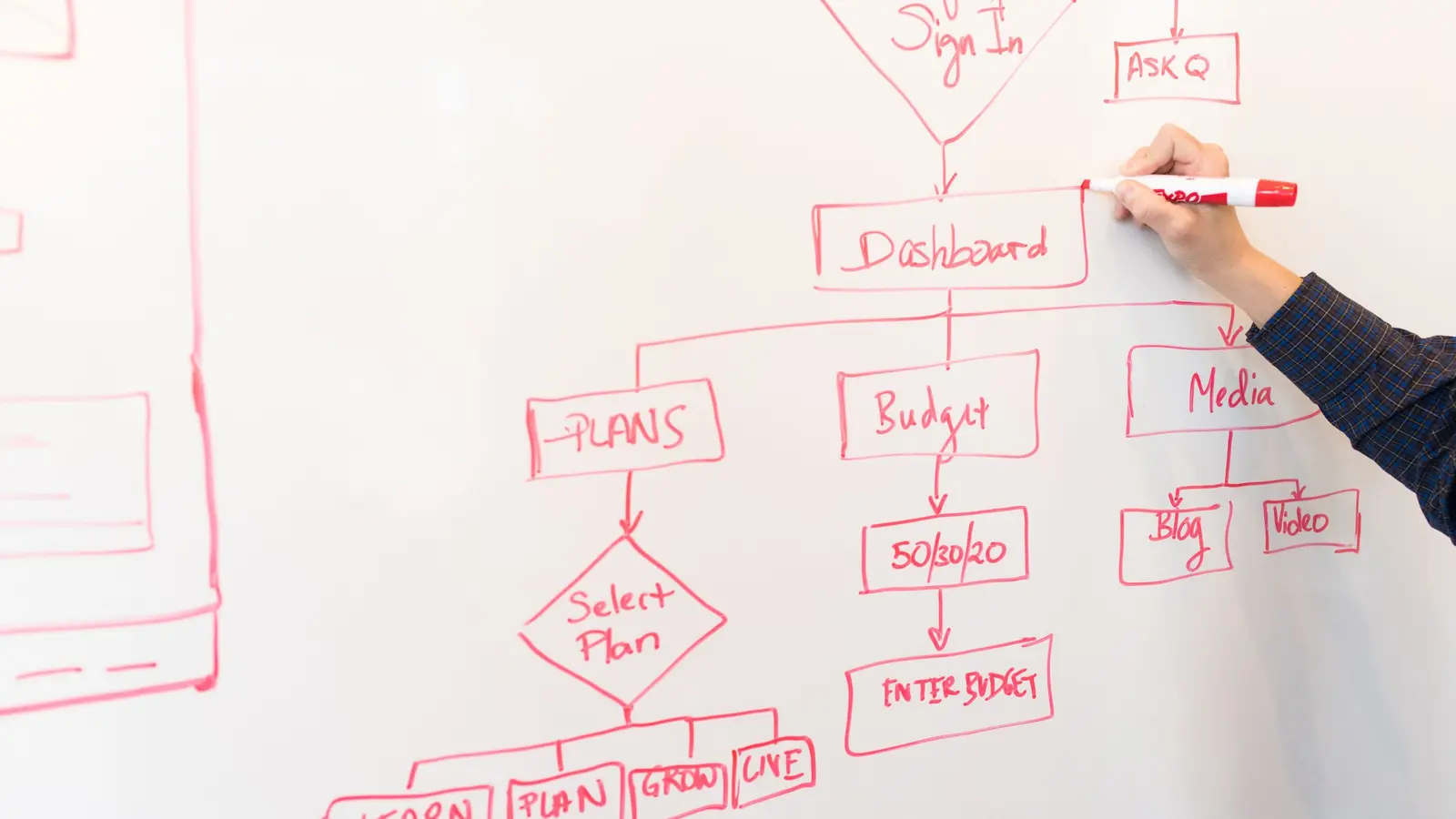
The failure mode is not technical. It is automating a process that was already broken, at which point you get to be wrong faster and more consistently. Fix the process, then automate it.
- Write down what happens now. Every step, including the ones that only exist in somebody’s head. This usually takes an hour and reveals two steps nobody knew about.
- Delete before you automate. Half the steps in most processes exist because of a decision made three years ago. Removing a step is cheaper and more reliable than automating it.
- Automate one thing, and watch it for a fortnight. Not six at once. If something goes wrong, you want to know which change caused it.
- Build in a failure alert. The dangerous automation is the one that stops silently. If leads stop flowing into the CRM, someone should be told that day, not at the end of the month.
- Give every automation an owner. A person whose job it is to check it still works and still reflects how you actually operate. Automations rot when the business changes around them.
- Keep a manual path. If the automation fails, there should still be a way to do the thing by hand. Total dependency on a workflow nobody understands is a risk, not a saving.
Automate a broken process and you just get to be wrong faster. Map it, cut it back, then hand it over.
Where AI actually helps, and where it does not
The useful applications at small business scale are narrow and unglamorous. Summarizing a long enquiry into three lines before it reaches a salesperson. Categorizing incoming messages so urgent ones surface first. Drafting a first-pass reply that a human edits. Pulling structured information out of emailed documents so it does not have to be retyped.
What does not work well yet: letting a model talk to customers unsupervised, generating content nobody reviews, and anything where a confident wrong answer costs you money. The pattern that works is a machine doing the preparation and a person making the decision.
Two practical cautions. Check what happens to customer data before you send it anywhere, since the Australian Privacy Principles apply to how you handle it regardless of which tool is involved. And keep a human in the loop on anything that goes out under your name.
The agents do not take lunch breaks, which is either impressive or mildly unsettling depending on how you feel about robots. Either way, they are for leverage rather than headcount reduction: the point is freeing people for the work only people can do.
When not to automate
Do not automate a process you are about to change. If you are switching CRMs next quarter, or restructuring how quotes get produced, building automations on top of the current setup is work you will throw away. Wait.
Also leave it alone if:
- It happens less than weekly. A task done monthly, in ten minutes, does not justify a build and ongoing maintenance. Put it on a calendar reminder and move on.
- The judgment is the value. Pricing a complex job, handling a complaint, deciding whether to take on a client. Automating the notification is fine. Automating the decision is not.
- Nobody can explain the current process. If three people describe it differently, you do not have a process yet. You have a habit. Sort that out first.
- You have no lead problem. Automating follow-up when you already convert everyone who calls is solving something that is not broken. Look at where you actually lose money instead.
- It is customer-facing and personal. A handwritten note after a big job is not inefficiency. Some things should stay slow.
The measure that matters is not hours saved on a slide. It is whether leads stop falling through, follow-up actually happens, and the numbers can be trusted. If you want a hand mapping which of the six jobs above is costing you most, that is what our AI automation work starts with.
Frequently asked questions
What should a small business automate first?
Lead capture into one system, then an instant acknowledgement to the enquirer, then follow-up sequences for anyone who does not reply. After that, review requests and automated reporting. These five cover the places most small businesses lose revenue, and each takes hours rather than weeks to build.
How much does marketing automation cost for a small business?
Tooling usually runs $50 to $300 a month, often using software you already pay for. A professional build of the core workflows is typically a one-off project rather than an ongoing retainer. If a quote reaches five figures for setup, ask precisely which processes it covers and what happens when they change.
Do I need a CRM before automating anything?
You need one place where every lead lands. That is usually a CRM, but a well-structured shared system can do it at small scale. Without a single source of truth, automations end up moving data between tools that disagree with each other, which creates more work than it removes.
Will automation make my marketing feel impersonal?
Only if you automate the wrong things. Automating the acknowledgement, the reminder and the admin makes the human contact faster and better prepared. Automating judgment, complaint handling or genuinely personal follow-up is where it goes wrong. Keep the machine on the preparation and the person on the decision.
What is the difference between marketing automation and AI automation?
Marketing automation follows rules you set: if this happens, do that. AI automation adds judgment to steps that previously needed a person, such as summarizing an enquiry, sorting messages by urgency or extracting details from a document. Most small businesses need the rules working properly before the judgment layer adds anything.